16 March, 2015

Last week there was an interesting question
posed by Peter Smith
to the fwknop mailing list that focused on running fwknop in
UDP listener mode
vs. using libpcap. I thought it would be useful to turn this into a blog post, so here is Peter's
original question along with my response:
"...I want to deploy fwknop on my server, but I'm not sure If I should use
the UDP listener mode or libpcap. At first UDP listener mode seems to be
the choice, because I don't have to compile libpcap. However, I then
have to open a port in the firewall. Thinking about this, I get the
feeling that I'm defeating the purpose of using SPA, by allowing
Internet access to a privileged processe.
If an exploitable security issue is found, even though fwknop remains
passive and undiscoverable, an attacker could blindly send his exploit
to random ports on servers he suspects running fwknopd, and after
maximum 65535 tries he would have root access. I'm not a programmer, so
I can't review the code of fwknop or SSH daemon, but if both is equally
likely of having security issues, I might as well just allow direct
access to the SSH daemon and skip using SPA.
Is my point correct?..."
First, let me acknowledge your point as an important issue to bring up. If
someone finds a vulnerability in fwknopd, it doesn't matter whether fwknopd
is collecting packets via UDP sockets or from libpcap (assuming we're
talking about a vulnerability in fwknopd itself). The mere processing of
network traffic is the problem.
So, why run fwknopd at all?
This is something of a long-winded answer, but I want to be thorough. I'll
likely not settle the issue with this response, but it's good to start the
discussion.
Starting with your example above with SSHD open to the world, suppose there
is a vulnerability in SSHD. What does the exploit model look like? Well, an
attacker armed with an exploit can trivially find the SSH daemon with any
scanner, and from there a single TCP connection is sufficient for
exploitation. I would argue that a primary enabling factor benefiting the
attacker in this scenario is that vulnerable targets that listen on TCP
sockets are so easy to find. The combination of scannable services +
zero-day exploits is just too nice for an attacker. Several years ago I
personally had a system running SSHD compromised because of this. (At the
time, it was my fault for not patching SSHD before I put it out on the
Internet, but still - the system was compromised within about 12 hours of
being online.)
Now, in the fwknopd world, assuming a vulnerability, what would
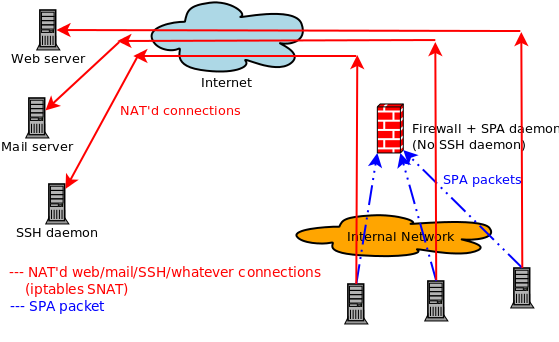
exploitation look like? Well, targets aren't scannable as you say, so an
attacker would have to guess that a target is running fwknopd and the
corresponding port on which it watches/listens for SPA packets
[1].
Forcing an attacker to send thousands of packets to different ports (assuming a
custom non-default port instead of UDP port 62201 that fwknopd normally
watches) is likely a security benefit in contrast to an obviously
targetable service. That is, sending tons of SPA exploit packets to
different ports is a common pattern that is quite noisy and is frequently
flagged by IDS's, firewalls, SIEM's, and flow analysis engines. How many
systems could an attacker target with such heavyweight scans before the
attacker's own ISP would notice? Or before the attacker's IP is included
within one of the Emerging Threats compromised hosts lists? Or within
DShield as a known bad actor? 10 million? How many of these are actually
running fwknopd? I know there are some spectacular scanning results out
there, so it's really hard to quantify this, but either way there is a big
difference between sending thousands of > 100-byte UDP packets to each
target vs. a port sweep for TCP/22.
Further, when a system is literally blocking every incoming packet
[2],
an attacker can't even necessarily be sure there is any target connected to
the network at all. Many attackers would likely move on fairly quickly from
a system that is simply returning zero data to some other system.
In contrast, for a service that advertises itself via TCP, an attacker
immediately knows - with 100% certainty - there is a userspace daemon with
a set of functions that they can interact with. This presents a risk. In my
view, this risk is greater than the risk of running fwknopd where an
attacker gets no data.
Another fair question to ask is about the architecture of fwknopd. When an
HMAC is used (this will be the default in a future release), fwknopd reads
SPA packet data, computes an HMAC, and does nothing else if the HMAC does
not match. This is an effort to try to stay faithful to a simplistic
design, and to minimize the functions an attacker can interact with - even
for packets that are blindly sent to the correct port where fwknopd is
watching. Thus, most functions in fwknopd, including those that parse
user-supplied data and hence where bugs are more likely to crop up, are not
even accessible without first passing the HMAC which is a cryptographically
strong test. When libpcap is also eliminated through the use of UDP, not
even libpcap functions are in the mix
[3]. In other words,
the security of fwknop does not rely on not being discoverable or scannable - it is merely
a nice side effect of not using TCP to gather data from the network.
To me, another way to think of fwknopd in UDP mode is that it provides a
lightweight generic UDP authenticator for TCP-based services. Suppose that
SSHD had a design built-in where it would bind to a UDP socket, wait for a
similar authentication packet as SPA provides, and then switch over to TCP.
In this case, there would not be a need for SPA because you would get the
best of both worlds - non-scannability
[4] plus everything that TCP provides
for reliable data delivery at the same time. SPA in UDP listening mode is
an effort to bridge these worlds. Further, there is nothing that ties
fwknopd to SSH. I know people who expose RDP to the Internet for example.
Personally, I'm quite confident there are fewer vulnerabilities in fwknopd
than something like RDP. Even if there isn't a benefit in terms of the
arguments above in terms of service concealment and forcing an attacker to
be noisy, my bet is that fwknopd - even if it advertised itself via TCP -
would provide better security than RDP or other services derived from
massive code bases.
Now, beyond all of the above, there are some additional blog posts and other
material that may interest some readers:
[1] If an attacker is in the position to watch legitimate SPA packets from
an existing client then this guesswork can be largely eliminated. However,
even in this case, if fwknopd is sniffing via libpcap (so not using the UDP
only mode), there is no requirement for fwknopd to be running on the system
where access is actually granted. It only needs to be able to sniff packets
somewhere on the routing path of the destination IP chosen by the client. I
mention this to illustrate that it may not be obvious to an attacker where
a targetable fwknopd instance runs even when SPA packets can be monitored.
Also, there aren't too many attackers who are in this position. At least,
the number of attackers in this position is _far_ lower than those people
(everyone) who are in a position to discover a vulnerable service from any
system worldwide with a single TCP connection.
[2] As you point out, in UDP-only mode, the firewall must allow incoming
packets to the UDP port where fwknopd is listening. But, given that fwknopd
never sends anything back over this port, it remains indistinguishable to
every other filtered port.
[3] There are more things built into the development process that may be
worth noting too that heighten security such as the use of Coverity, AFL
fuzzing, valgrind, etc., but these probably takes us too far afield from
the topic at hand. Also, there are some roadmap items that have not been
implemented yet (such as privilege separation) that will make the
architecture even stronger.
[4] Assuming a strong firewall stance against incoming UDP packets to
other ports so one cannot infer service existence because UDP/22 doesn't
respond to a scan but other ports respond with an ICMP port unreachable,
etc.

 In other news, Jonathan and I will be giving a lengthy interview on
Single Packet Authorization with fwknop for the
In other news, Jonathan and I will be giving a lengthy interview on
Single Packet Authorization with fwknop for the
 After a long while without updates to the fwknop clients on Android or iOS, I'm
excited to announce that
After a long while without updates to the fwknop clients on Android or iOS, I'm
excited to announce that 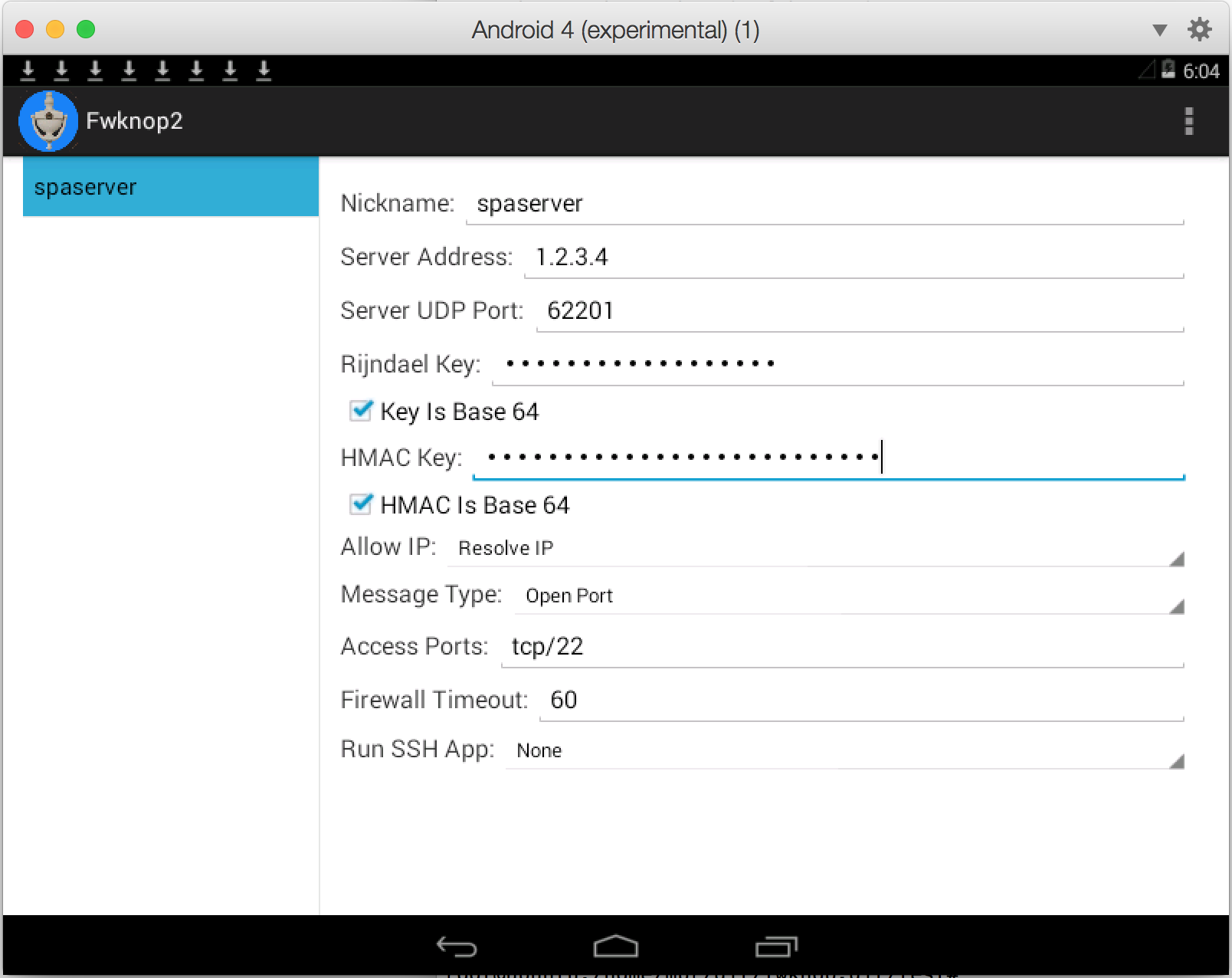
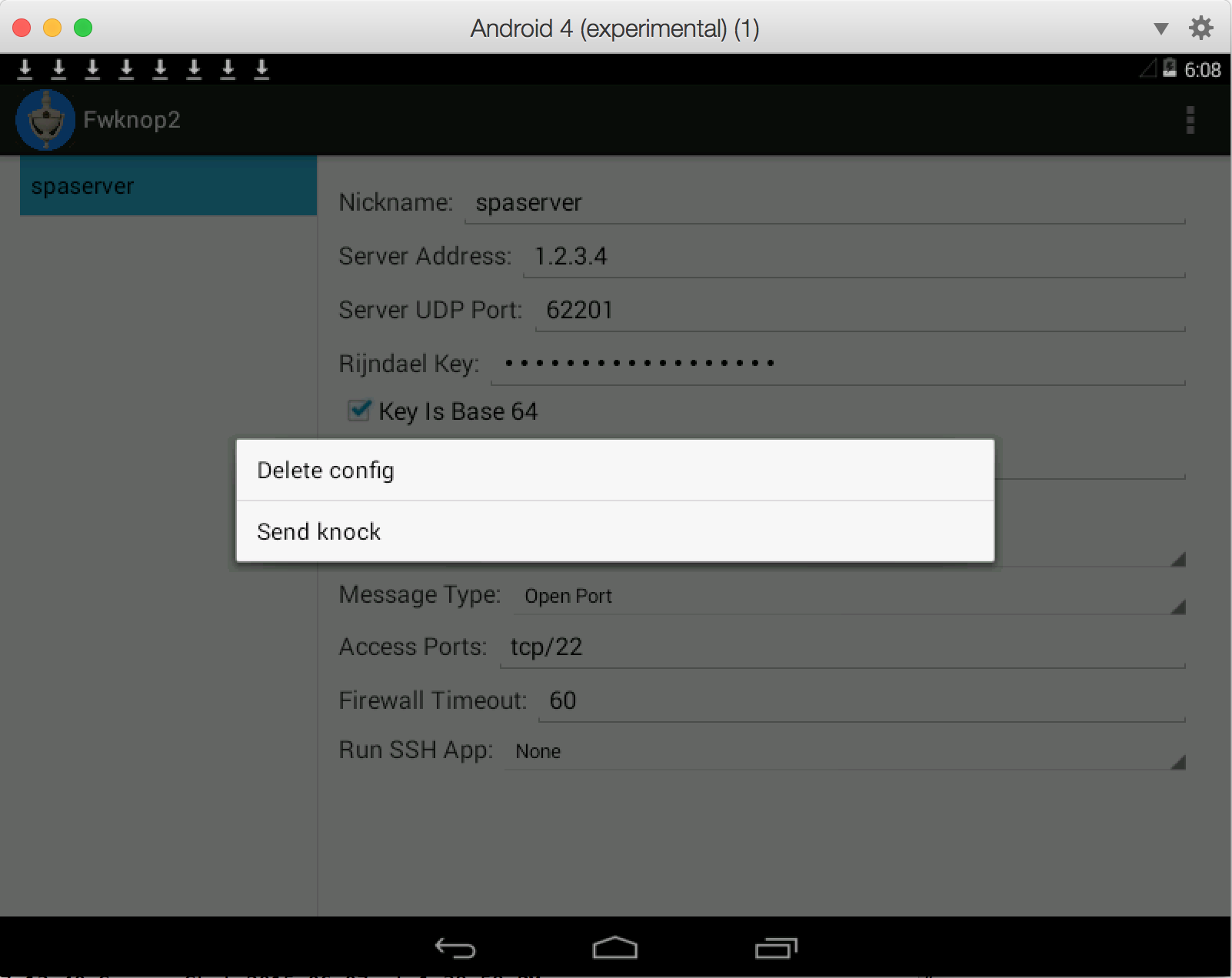
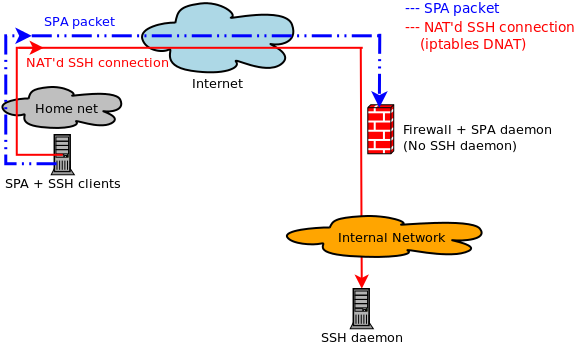
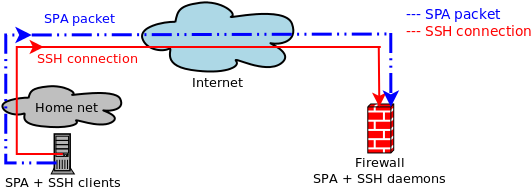 This works
 So, not terrible - currently 31 writes per second at the time the snapshot was taken, and that includes
OS X itself and the VM at the same time. But, now let's fire up AFL using the digest cache wrapper on
the Ubuntu VM (the main AFL text UI is not shown for brevity):
So, not terrible - currently 31 writes per second at the time the snapshot was taken, and that includes
OS X itself and the VM at the same time. But, now let's fire up AFL using the digest cache wrapper on
the Ubuntu VM (the main AFL text UI is not shown for brevity):
 Whoa, that's a massive difference - nearly two orders of magnitude. AFL has caused disk writes to spike
to over 2,700 per second with total data written averaging at 19.5MB/sec. Long term fuzzing at this
level of disk writes would clearly present a problem for the SSD - AFL frequently needs to be left running
for days on end in order to be thorough. So, let's switch everything over to use a RAM disk on the Ubuntu
VM instead and see if that reduces disk writes:
Whoa, that's a massive difference - nearly two orders of magnitude. AFL has caused disk writes to spike
to over 2,700 per second with total data written averaging at 19.5MB/sec. Long term fuzzing at this
level of disk writes would clearly present a problem for the SSD - AFL frequently needs to be left running
for days on end in order to be thorough. So, let's switch everything over to use a RAM disk on the Ubuntu
VM instead and see if that reduces disk writes:
 We're back to less than 10 writes per second to the SSD even though AFL is going strong on the Ubuntu
VM (not shown). The writes for the previous fuzzing run are still shown to the left of the graph (since
they haven't quite aged out yet when the screenshot was taken), and new writes are so low they don't
even make it above the X-axis at this scale. Although the total execs per second - about 2,000 - achieved
by AFL is not appreciably faster under the RAM disk, the main benefit is that my SSD will last a lot
longer. For those that don't run AFL underneath a VM, a similar strategy should still apply on the main
OS. Assuming enough RAM is available for whatever software you want to fuzz, just create a RAM disk and
run everything from it and extend the life of your hard drive in the process.
We're back to less than 10 writes per second to the SSD even though AFL is going strong on the Ubuntu
VM (not shown). The writes for the previous fuzzing run are still shown to the left of the graph (since
they haven't quite aged out yet when the screenshot was taken), and new writes are so low they don't
even make it above the X-axis at this scale. Although the total execs per second - about 2,000 - achieved
by AFL is not appreciably faster under the RAM disk, the main benefit is that my SSD will last a lot
longer. For those that don't run AFL underneath a VM, a similar strategy should still apply on the main
OS. Assuming enough RAM is available for whatever software you want to fuzz, just create a RAM disk and
run everything from it and extend the life of your hard drive in the process.